Household · Investing · Future

Yoka

by ETF School Invest

Connect everyday finances and investment records with the life ahead.

Track and review your actual finances for free. Add future planning and advanced analysis with Premium.

FreeCash and budgets
FreeMonthly and annual results
PremiumFIRE and retirement
PremiumLife phases and AI exports

How to use Yoka

Start with cash. Connect your records to your plans.

Begin tracking with Free, then add projections with Premium when needed. These public demo screens use fictional data, not administrator or user finances.

01 · Free

Organize cash and your monthly budget

  1. Enter your balance and dated income, expenses, and scheduled payments in Cash.
  2. Record income, expense names, categories, monthly amounts, and memos, plus annual payment months in Budgets and annual payments.
  3. See the overview in the expense pie chart, then review each amount and memo in the monthly expense list below it. Budgets remain separate from actual cash schedules.
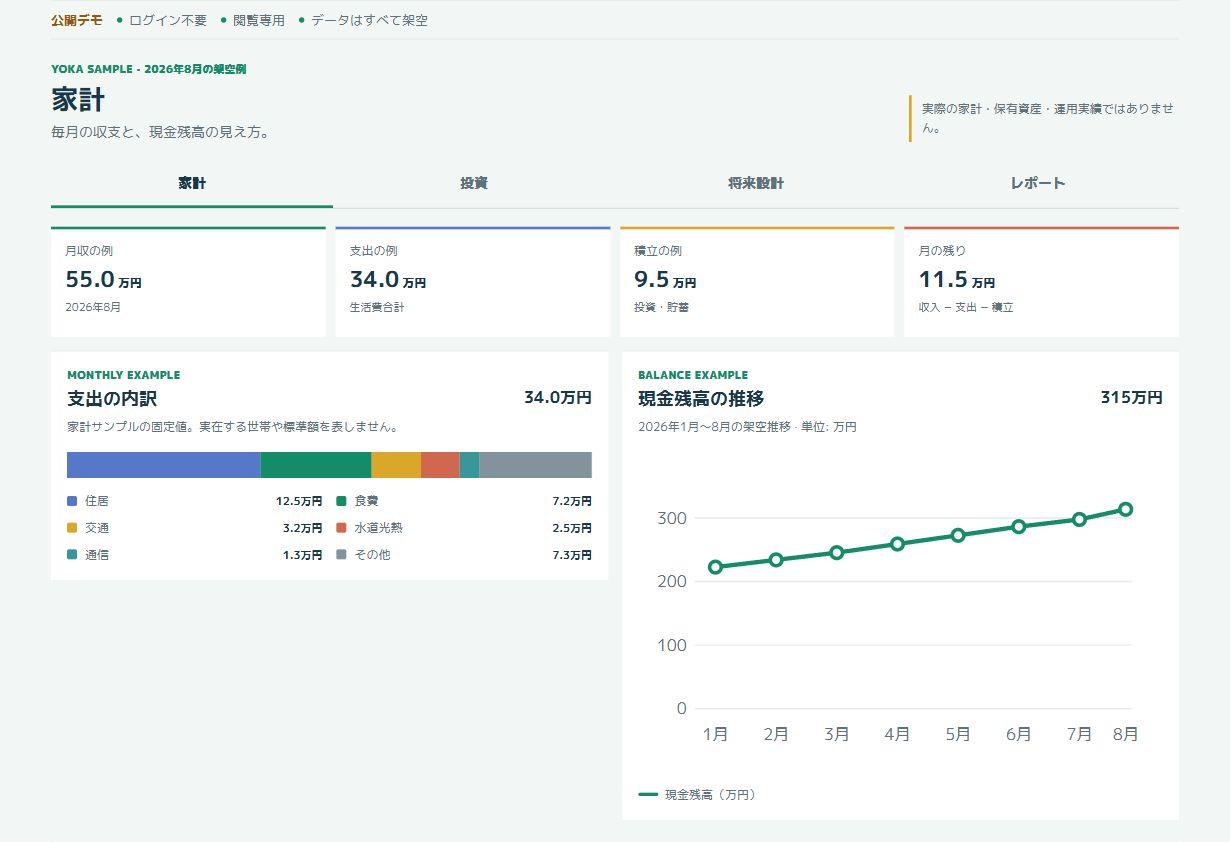
Explore the household demo
Fictional Japanese household demo: income, expenses, contributions, and balance charts.
Simplified public demo (Japanese UI; fixed fictional data). Select the image to enlarge.
Free · Budgets

See what each share is for.

Essential living, personal development, loans, and investments. Each expense appears on its own row, with a memo below its name. Editing an amount updates both the pie chart and the list total.

Illustrative monthly expense list using fictional budgets, not administrator or user data. Annual payments are totaled separately.

Monthly expense list Fictional example
Item & memoCategoryMonthly amount
HousingRent and building feesEssential living¥65,000
FoodGroceries and everyday mealsEssential living¥35,000
LearningBooks and online coursesPersonal development¥12,000
Car loanScheduled monthly repaymentLoans¥30,000
Fund contributionsRegular monthly contributionsInvestments¥40,000
Expenses & contributions / month¥182,000
02 · Free

Turn month-end records into a portfolio view

  1. Register asset names, aliases, and target weights in Portfolio.
  2. Save each holding's month-end value and cash flows in Monthly records. Values are summed into the month-end total.
  3. Review actual returns and allocation. Annual entries let you review each year's results too.
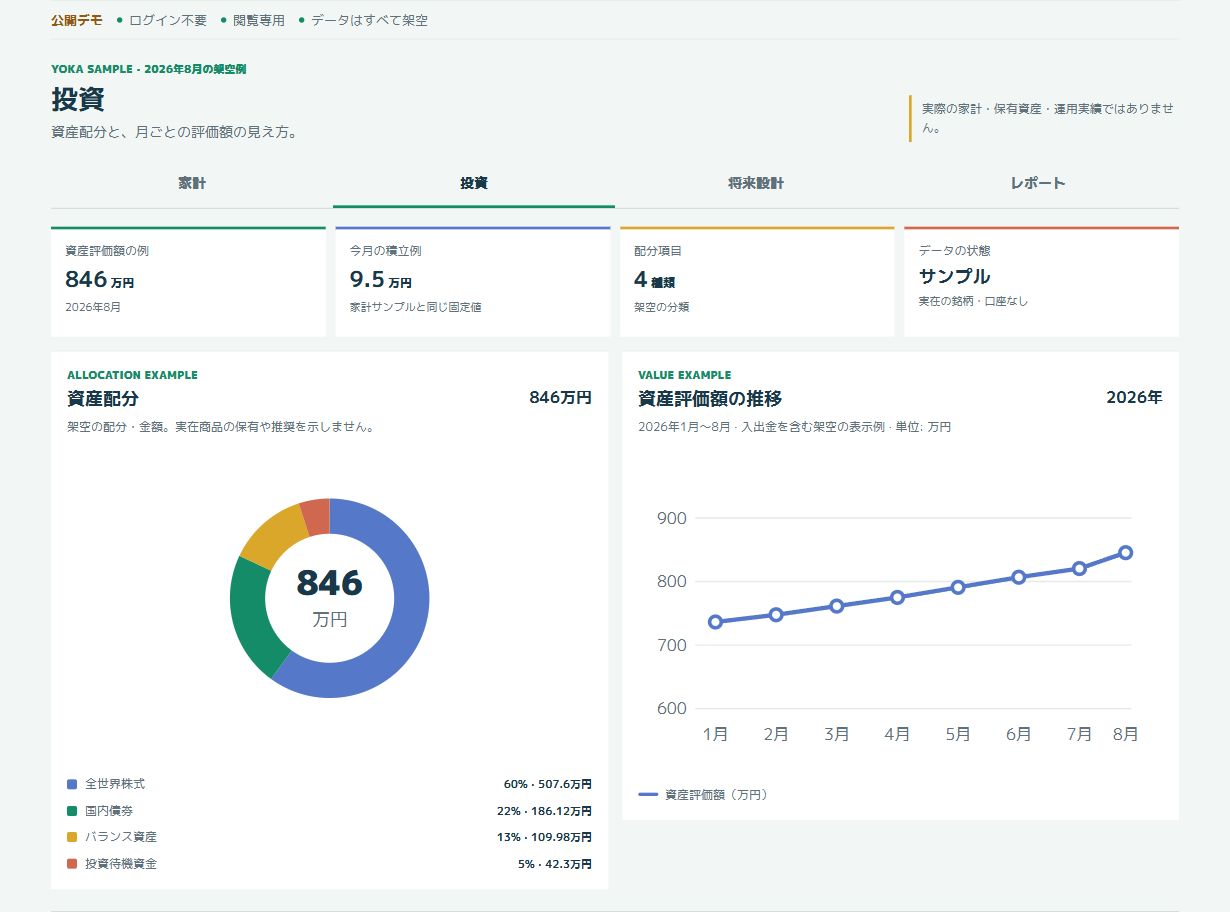
Explore the investment demo
Fictional Japanese investment demo: four allocation categories and asset values over time.
Simplified public demo (Japanese UI; fixed fictional data). No real holdings or accounts.
03 · Premium

Use your history to explore the years ahead

  1. Set contributions, goals, and a horizon in Asset projections, using your latest monthly record and estimated return.
  2. Set retirement costs, annual payments, and pension income to review withdrawals and future balances.
  3. Adjust phase allocations in Life planning. Copy an anonymized AI-ready summary when you need it.
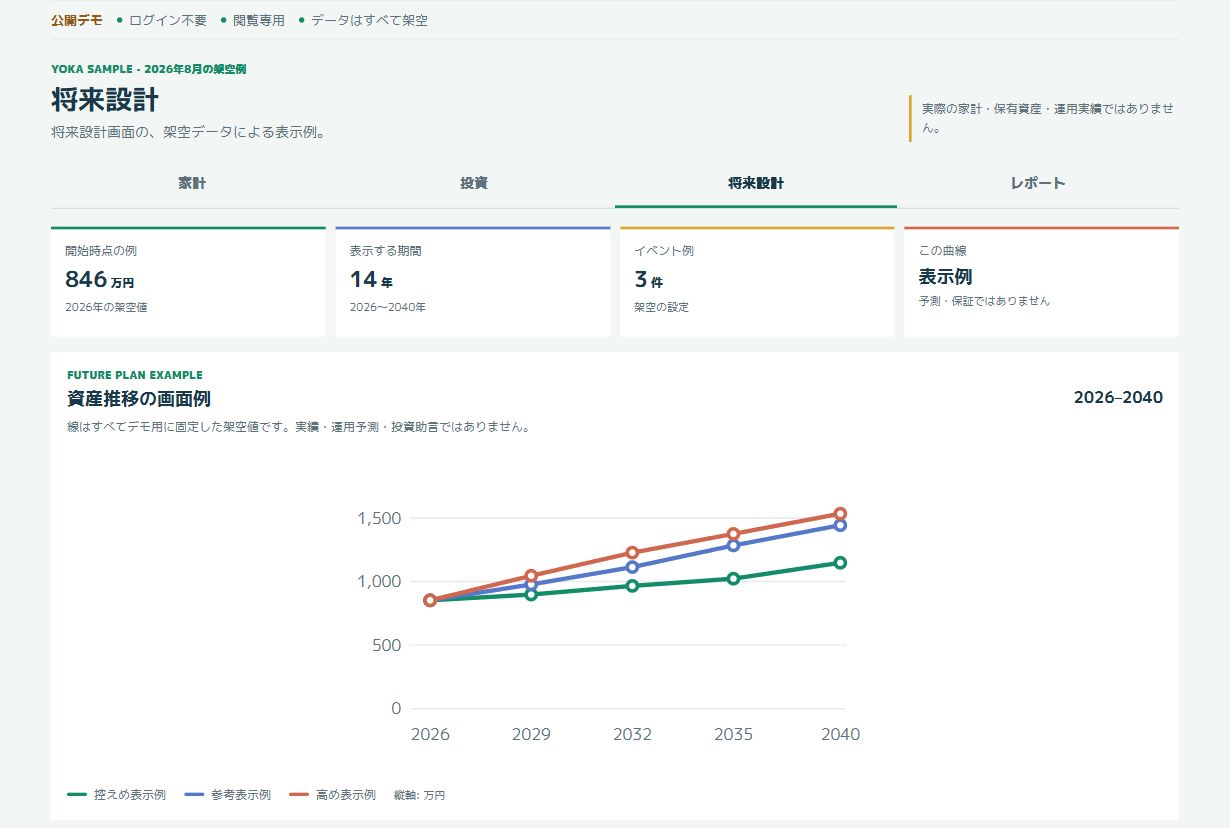
Explore the future-planning demo
Fictional Japanese future-planning demo with three fixed illustrative curves.
Simplified public demo (Japanese UI; fixed fictional data), not calculated estimated returns or a forecast.

The read-only demo is simplified. Some controls and charts differ from the signed-in app. Its figures are fictional examples, not actual performance or promised outcomes.

Household / Invest / Future / Reports

Track today. Review your progress. Plan ahead.

Four connected areas: household, investing, future planning, and reports. See your cash, actual investment performance, and future assumptions in one place.

See all features
01
Free

Cash forecasts

Check your balance after scheduled payments over 15 or 30 days. See negative balances when cash runs short and review the upcoming payment details.

02
Free

Budgets and annual payments

Keep monthly income and expenses separate from January–December annual payments. Review expenses and contributions in a four-category pie chart and itemized list, and annual costs in a stacked chart with monthly payment details.

03
Free

Monthly investment records

Sum your holdings into a month-end value. Record cash flows, cash-flow-adjusted monthly returns, debt balances, and market stance, with editing and history.

04
Free

Portfolio

Compare current and target weights, effective exposure, and purchase allocation estimates. Manage asset aliases, fund fees, and notes.

05
Free

Annual review

Record annual results and chart valuation gains, assets, liabilities, and net worth for free. Calculate the geometric average of recorded annual returns.

06
Premium

FIRE and asset projections

Project contributions from your latest month-end value and performance-estimated monthly return. See goal arrival estimates and, with sufficient history, upper P75 and lower P25 reference scenarios.

07
Premium

Retirement outlook

Model monthly cash flows through your chosen ending age using living costs, annual payments, pensions, and inflation. Choose budget-linked or manual inputs and inspect gains, income, and expense deductions.

08
Premium

Life phases

Compare target allocations from today through retirement using stacked bars. Edit weights, start conditions, and notes in a phase table.

09
Premium

Advanced analysis and AI exports

Review performance-estimated monthly and annual returns and repayment checks based on your settings. Copy an anonymized summary of calculated results as Markdown or JSON for consultation.
Premium · Retirement

Build assets. Plan withdrawals.

Explore FIRE goals and retirement cash flows in one projection view. Expenses are deducted from the balance, with investment gains and income shown separately.

  • Link living costs, annual payments, and pensions to saved budgets, or enter them manually
  • Edit the initial 3% inflation assumption; previously saved settings are preserved
  • Monthly calculations, annual display points, and negative balances for shortfalls

Projections are estimates based on your inputs. Upper and lower reference lines do not guarantee a future outcome or range.

Plans

Everyday records are free. Future planning is Premium.

Basic features have no time limit. Monthly and annual Premium plans include the same features.

Free forever

Free

USD 0

Record and review household finances and investment results.

  • Cash and scheduled payments
  • Budgets, annual payments, and summary charts
  • Monthly and annual records, history, and actual returns
  • Asset management and portfolio

Ads may appear while using the Free plan.

Start free
Renews monthly

Premium Monthly

USD 2 / month
  • All Free features
  • Estimated returns and repayment analysis
  • FIRE, asset projections, and retirement cash flows
  • Life phases and AI-ready exports
Choose a plan in the app

Billing is fixed in USD. There is no free trial. We may distribute coupons for the monthly plan with a limited number of uses and an expiry date. Enter the code on the checkout page to apply it to the first month; after that, the plan renews at the regular price. When Premium ends, your account returns to Free and saved Premium data is retained for use when you resubscribe.

Before you start

Tracking, calculations, and visualization

No investment advice, trading recommendations, or automated trading. Future investment results are not guaranteed.

Your own recorded figures

No automatic bank or brokerage connection. JPY/USD changes display formats only, not currency conversion.

Only the summary you need

AI exports contain a calculated summary, not account credentials or a direct connection to your personal database.

Start with this month.

Track and review your household finances and investments for free.